



Example media
Reviewed visual examples
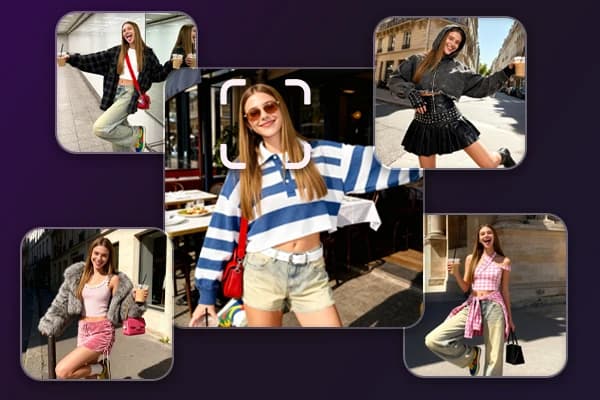
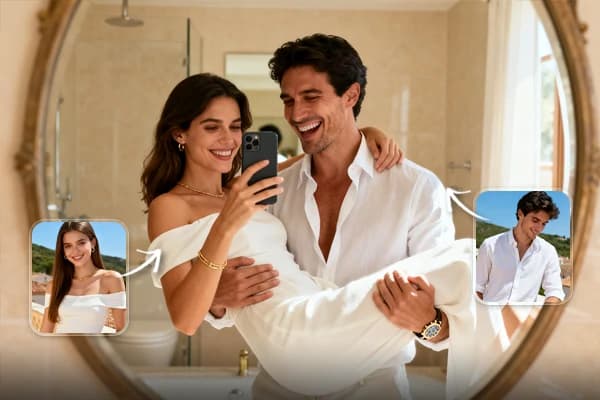
How to use in Voloshow
Workflow steps
- 1
Write the garment brief
Define garment type, silhouette, material, season, styling, and review boundary.
- 2
Generate original concepts
Avoid brands, designers, protected patterns, and celebrity likenesses.
- 3
Compare design cues
Review silhouette, fabric realism, styling, body representation, and campaign crop.
- 4
Prepare review exports
Enhance and resize selected drafts for mood boards or lookbook discussion.
Specs
Use case status and media context
| Best output | Silhouette concepts, styling boards, campaign drafts, lookbook crops. |
|---|---|
| Table use | Outerwear, accessory, seasonal mood, editorial campaign. |
| Review | Fit, fabric, likeness, brand rights, production feasibility. |
| Tool path | Generate, Image to Prompt, Image Enhancer, Image Resizer. |
Common mistakes
Avoid these before publishing
- Treating concept images as production patterns, size charts, or confirmed fabric specs.
- Referencing protected designers, runway looks, brands, or textile patterns directly.
- Skipping likeness, fit, material, and production feasibility review.
Next action
Create one fashion concept direction for review.
Use Voloshow to explore visual direction while keeping fit, materials, and production decisions in the fashion workflow.
Use-case fit
AI fashion design is strongest for concept exploration: silhouette, fabric mood, styling, campaign framing, and collection boards. It should not replace patternmaking, fit sessions, sampling, material sourcing, or production approval.
Workflow
Start with a garment or collection brief, generate rights-safe concept images, compare silhouette and fabric cues, enhance one direction, then resize for a lookbook or internal review.
- Describe original garments.
- Avoid unowned brands and designers.
- Keep fit and production review manual.
Review boundary
Check likeness rights, body representation, brand references, protected textile patterns, material feasibility, and whether the visual implies a real product specification that has not been approved.
Prompt examples
Copy-ready starts
Copy an example, then replace the subject and production details with material you can use.
An original fashion concept image for an oversized wool coat, clean studio background, visible silhouette, neutral styling, no brand logos or protected pattern references.
A lookbook-style fashion image with one original outfit, soft daylight, relaxed pose, fabric texture visible, no designer name or celebrity likeness.
An original accessory design concept for a structured shoulder bag, matte leather texture, simple studio plinth, no brand marks, no final product claim.
A fashion mood board image for a spring capsule, linen textures, muted colors, garment silhouettes, no copied runway references or text.
A fashion campaign visual with original garments, clean copy-safe space, soft editorial lighting, no fake magazine cover text or platform UI.
FAQ
Frequently asked questions
No. Use outputs as concept images. Fit, patternmaking, fabric performance, sizing, sampling, and production review remain manual fashion work.
Include garment type, silhouette, fabric, styling context, season, camera framing, model boundaries, and whether the image is a mood board or campaign draft.
Avoid unowned brand names, designer names, protected patterns, and confusingly similar product references.
Use Image Enhancer for campaign candidates, Image Resizer for lookbook crops, and Image to Prompt to translate owned references into neutral language.