A safe product-photo workflow
Start from owned product material, decide whether you need a catalog shot or a lifestyle scene, then use dedicated tools for background cleanup, generation, enhancement, and resizing. Treat the generated image as a draft. The workflow is useful because it separates creative exploration from product truth and marketplace compliance.


White background and catalog shots
White-background images work best when the product outline is clear, shadows are realistic, and the crop leaves predictable space for marketplace templates. If the product silhouette is wrong, no export tool can make the listing trustworthy. Fix the source image or regenerate before resizing.
Step-by-step in Voloshow
Use the product photo workflow for the first draft, Background Remover or White Background for cleanup, Image Enhancer for selected candidates, and Image Resizer or Compressor for the final channel. Keep each step small so the output remains easy to review.
Common errors to avoid
Do not invent platform approval, ratings, certifications, medical claims, or discount badges. Do not use competitor products as references. Do not publish generated packaging details unless they match the real product.
Commercial-use boundaries
Do not invent platform approval, ratings, certifications, or packaging claims. Treat every output as a draft that needs human review before publishing. The final review should include product truth, brand rights, channel policy, and customer expectation.
Keep an approval log
For each accepted product-photo draft, save the source image, prompt, selected output, cleanup step, target channel, and reviewer note together. This makes the guide practical for teams because a later editor can see whether the asset was approved for a listing, a social crop, or only an internal concept.
Plan a product-photo shot list
A useful product-photo workflow starts with a shot list, not with a prompt alone. Most ecommerce teams need at least four image types: a clean catalog shot, a detail crop, a lifestyle scene, and a campaign or social crop. Each image has a different risk profile. Catalog shots need shape accuracy and conservative lighting. Detail crops need material truth. Lifestyle scenes need scale and prop realism. Campaign images need blank copy areas and no fake claims. Writing the shot list first keeps the prompt from trying to solve every channel at once.
- Catalog: shape, crop, white or neutral background.
- Detail: surface, texture, material accuracy.
- Lifestyle: scale, props, setting, and final review.
Reference and upload guidance
Owned references are strongest when they show the real product from the angle you want to preserve. Use clean product photos, approved packaging files, or brand assets that your team is allowed to use. Avoid competitor references, marketplace screenshots, or images with badges and claims you cannot verify. If the source image is noisy, obstructed, or too small, background removal and generation will both become harder to review. The safest workflow is to clean the source, generate a draft, then compare the draft against the original product before exporting.
Credits and output control
Credits are best spent on visual decisions that generation can actually improve: lighting direction, set design, product placement, and mood. Do not spend generation attempts on simple resizing, compression, or background replacement after a usable candidate already exists. Move those tasks to the relevant Voloshow utility tools. This division matters because product-photo work can burn credits quickly if every small export issue becomes another generation attempt. A disciplined workflow protects both image quality and budget.
Approval before marketplace upload
No AI product image should go straight into a marketplace listing. Review the final candidate against the real product, packaging, claims, category rules, crop requirements, and return-risk expectations. Remove generated badges, fake reviews, invented certifications, and unrealistic product details. If the image changes product shape or function, reject it even if it looks visually polished. The goal is a faster draft pipeline, not a shortcut around product truth or platform compliance.
Team handoff and versioning
Save each approved draft with its prompt, source product image, intended channel, crop ratio, and review notes. Use simple version names such as catalog, detail, lifestyle, and social rather than vague labels like final or best. If a stakeholder asks for a change, decide whether it is a generation change, cleanup change, or export change before spending more credits. This keeps the workflow auditable and makes it easier to reuse successful product-photo patterns across a larger catalog.
Quality scoring before export
Score each product-photo draft before it enters export. A simple five-point review can cover shape accuracy, label or packaging fidelity, material realism, crop usefulness, and claim safety. Reject the image if any category fails, even when the lighting looks expensive. For larger catalogs, this score creates a repeatable threshold for operators and prevents attractive but inaccurate images from moving into listings, ads, or merchandising pages.
Catalog-scale operations
When the workflow expands from one hero product to dozens of catalog items, keep a lightweight operations sheet. Track source image quality, prompt family, selected draft, cleanup tool, export size, reviewer, and final channel. This is not a replacement for a CMS or product information system; it is a practical control layer that helps creators avoid mixing approved product facts with exploratory prompts. It also makes later refreshes easier because teams can identify which images need regeneration and which only need resize or compression.
Workflow steps
- 1
Start from owned material
Use owned product images, packaging, and brand assets so every generated draft can be checked against real product truth.
- 2
Choose catalog or lifestyle
White-background listing images need conservative crops; lifestyle images can use props but still need accurate product scale.
- 3
Clean and export
Use Background Remover, White Background, Image Resizer, and Compressor after generation to prepare channel-specific exports.
- 4
Review before upload
Verify product accuracy, claims, packaging, and marketplace requirements outside the generation flow.
Publishing and workflow notes
| Author | Voloshow Editorial |
|---|---|
| Updated | 2026-06-06 |
| Status | Practical guide with beta product-photo workflow boundaries. |
| Review | Product truth, claims, packaging, rights, and marketplace rules. |
Common mistakes to avoid
- Inventing product certifications, reviews, badges, or performance claims.
- Letting generated labels or packaging replace the real product truth.
- Using unowned brand assets, characters, or competitor packaging as references.
Prompt examples
Copy-ready starts
Copy an example, then replace the subject and production details with material you can use.
A single skincare bottle on a white seamless background, accurate silhouette, preserved blank label area, soft commercial shadow, clean ecommerce crop, no rating badges.
A compact travel mug on a stone kitchen counter with morning window light, realistic scale, understated props, premium retail photography, no unowned brand marks.
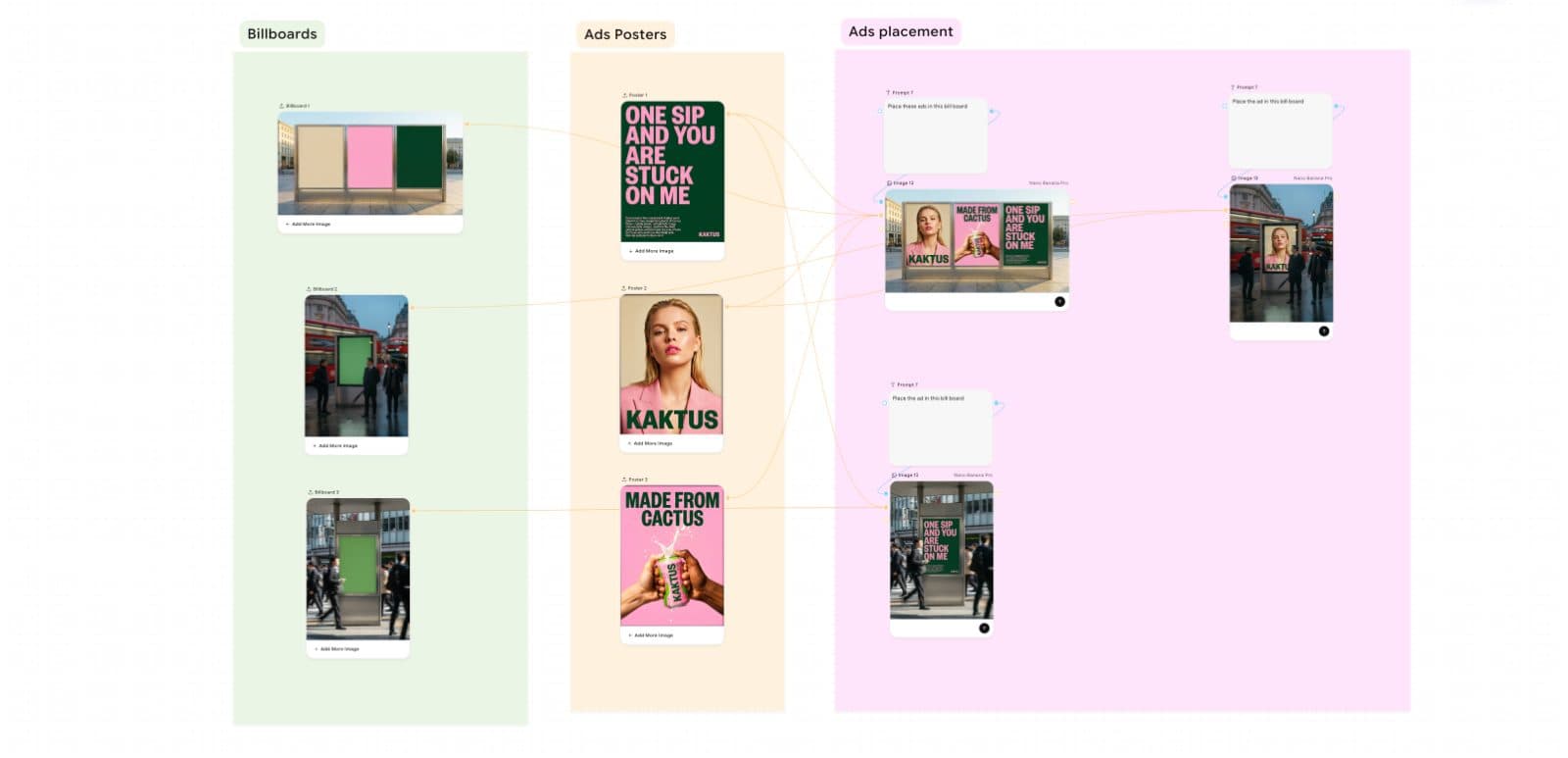
A square product ad visual with one hero object, monochrome paper background, sharp red accent line, space for headline text, realistic studio lighting, no fake discount badge.
An owned product packshot with a clear front-facing silhouette, soft shadow, neutral white background, conservative crop, no invented certifications or marketplace icons.
A close detail crop of an owned product material texture, realistic side light, clean background, accurate surface finish, no exaggerated performance claims.
A premium product on a dark stone plinth, controlled rim light, realistic reflection, minimal props, catalog-safe composition, no generated text or fake awards.
An owned product isolated as a clean transparent-background cutout, preserved edges, accurate shape, no invented label text, ready for layout testing.
An owned product on a clean neutral background with blank side space for later callouts, realistic shadow, no generated claims or icons.
A consistent product listing image set concept with white, detail, lifestyle, and ad crop variants, same lighting language, conservative composition.
A premium retail still life of an owned product with stone surface, linen prop, morning light, accurate scale, no platform badges or fake awards.
FAQ
Frequently asked questions
No. They are draft assets. You must verify product accuracy, packaging, claims, rights, and platform rules before publishing.
Start with owned product images, remove or replace the background, create a neutral catalog draft, then resize for the target channel.
Avoid fake platform badges, invented ratings, misleading certifications, celebrity likenesses, and packaging you do not own.
No. Product labels, claims, and regulatory details should come from the real product or a reviewed design file, not generated guesses.
Background Remover, White Background, Image Resizer, Image Compressor, and Image Enhancer help prepare exports after the draft is reviewed.
Keep exploring
Related features
Related prompts
Next action
Build a product image set from one reviewed draft.
Create a product-photo concept, clean the background, then resize and compress final candidates only after manual review.

Voloshow Editorial
Practical, source-aware guides for AI image, editing, product, and video workflows.