


Availability and promise boundary
This page is marked overview. Voloshow does not claim unsupported model access, marketplace approval, or guaranteed commercial rights.
Example media
Reviewed visual examples

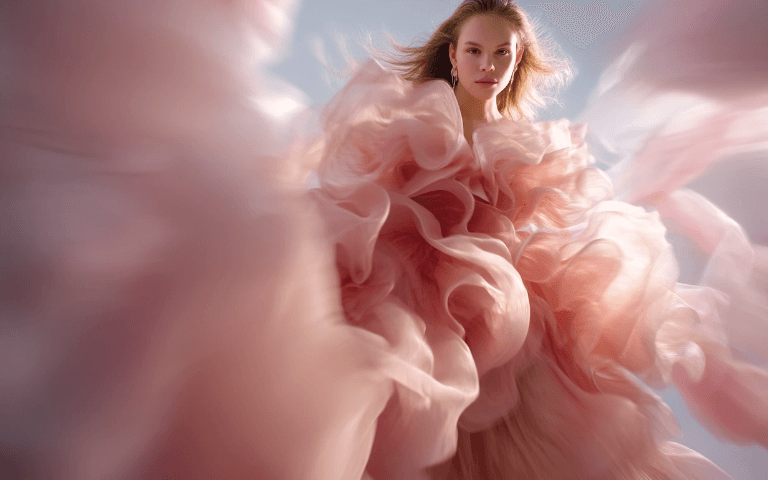
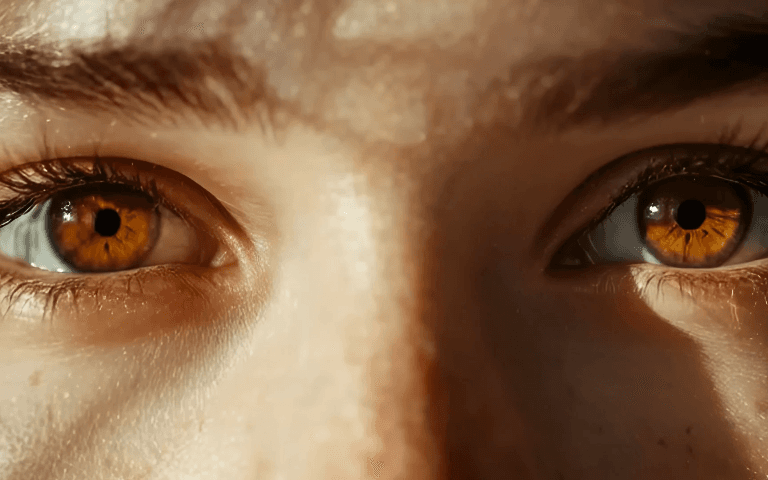
How to use in Voloshow
Workflow steps
- 1
Frame the job and references
Define a photoreal image brief with believable lighting, materials, camera choices, and text-safe composition, the audience, final channel, aspect ratio, and one visual priority. Collect only references you can use and label the specific composition, palette, material, or lighting cue each reference contributes.
- 2
Build a focused prompt
Write a compact prompt around Imagen 3 style photoreal generation workflows. Lead with subject and composition, then add photoreal lighting, believable material detail, and controlled commercial composition. Include a small set of constraints such as text-safe space, original identity, realistic edges, or a clean background.
- 3
Generate and compare
Generate a small comparison set through the currently available Voloshow model. Review hierarchy, crop, detail, consistency, and artifacts. Choose one direction and change only the variables that need correction.
- 4
Finish and publish responsibly
Use the linked Voloshow tools for enhancement, cropping, format conversion, or background work. Add verified copy and brand assets manually, then complete the rights and accuracy review. Verify people, places, products, text, and factual details independently before using generated visuals in published claims.
Specs
Specs, availability and credits
| Page status | overview Availability describes this Voloshow page and workflow, not a permanent provider guarantee. |
|---|---|
| Primary audience | photographers, advertising teams, concept artists, and editorial designers Adjust vocabulary, format, and review depth for the actual publishing team. |
| Primary outcome | a photoreal image brief with believable lighting, materials, camera choices, and text-safe composition Use this outcome as the comparison criterion for every generated variant. |
| Visual direction | photoreal lighting, believable material detail, and controlled commercial composition Treat this as a starting direction and refine it with concrete visible decisions. |
| Rights and review | Verify people, places, products, text, and factual details independently before using generated visuals in published claims. Confirm applicable provider terms and local requirements before publication. |
Common mistakes
Avoid these before publishing
- Starting Imagen 3 style photoreal generation workflows with a one-line style request and no audience, format, hierarchy, or delivery context.
- Adding too many competing subjects, materials, camera cues, and color instructions before the main a photoreal image brief with believable lighting, materials, camera choices, and text-safe composition is stable.
- Treating the first result as finished instead of comparing variants, checking edges, and correcting the brief one decision at a time.
- Skipping the rights, accuracy, and publishing review. Verify people, places, products, text, and factual details independently before using generated visuals in published claims.
Next action
Build your imagen 3 workflow overview workflow
Move from research to a real Imagen 3 style photoreal generation workflows brief. Start with one subject, one audience, one format, and one measurable visual goal. Generate a small set, compare the strongest direction, then refine only the variables that need work.
Start with a useful creative brief
Imagen 3 Workflow Overview work improves when the prompt behaves like a compact creative brief rather than a list of style words. Start with the job: a photoreal image brief with believable lighting, materials, camera choices, and text-safe composition. Then define who it serves—photographers, advertising teams, concept artists, and editorial designers—and where the result will appear. Add subject, format, crop, hierarchy, lighting, palette, material, and background in that order. The recommended visual direction is photoreal lighting, believable material detail, and controlled commercial composition. Each phrase should change a visible decision. Remove adjectives that do not affect composition, texture, emotion, or delivery. This approach produces variants that are easier to compare because the core intent stays stable while a small number of creative variables change.
- Write the intended Imagen 3 style photoreal generation workflows outcome before selecting a visual treatment.
- Choose the final aspect ratio early so subject scale and negative space are evaluated in context.
- Reserve important copy, logos, dates, and legal text for a controlled finishing step.
Use references with a clear purpose
References should make the brief more precise without turning the task into a copy request. Identify the exact attribute each reference supplies: perhaps pose, palette, lighting, texture, layout, wardrobe, camera distance, or environmental mood. Describe that attribute in your own words and combine it with original subject and audience decisions. For Imagen 3 style photoreal generation workflows, the useful review question is whether the generated result supports a photoreal image brief with believable lighting, materials, camera choices, and text-safe composition. A visually impressive image can still fail when the focal point is weak, the crop does not fit the destination, the materials feel inconsistent, or the background leaves no practical room for a later layout.
- Use references you own, license, or have clear permission to use.
- Separate inspiration from identity, brand, character, product, and artwork rights.
- Apply this publishing boundary throughout the workflow: Verify people, places, products, text, and factual details independently before using generated visuals in published claims.
Refine one decision at a time
Generate a small, comparable set before refining. Select the direction with the best subject clarity, silhouette, hierarchy, and overall fit for the intended channel. On the next pass, change only one or two variables: camera distance, pose, palette, lighting, background density, or material treatment. Keep everything else stable so the effect of the revision is visible. Review Imagen 3 style photoreal generation workflows at both thumbnail size and full resolution. Thumbnail review reveals hierarchy and readability; full-size review reveals edge artifacts, facial or product inconsistencies, repeated patterns, malformed details, and accidental text. Use Voloshow image tools only after the creative direction is sound.
- Compare variants against the same brief instead of choosing by novelty alone.
- Refine the largest visible problem first and keep a record of the prompt change.
- Use enhancement, cropping, background, and format tools as finishing steps, not substitutes for a weak concept.
Finish with an accountable review
A finished imagen 3 workflow overview asset needs more than a clean render. Verify that the output matches the approved brief, source permissions, audience expectations, accessibility needs, and destination format. Check names, numbers, dates, product details, anatomy, symbols, cultural references, and any implied factual claim. Add real typography and brand assets in a layout environment where spelling, spacing, contrast, and legal lines can be controlled. Preserve the original source, prompt, model selection, and revision notes when provenance matters. Verify people, places, products, text, and factual details independently before using generated visuals in published claims. This review protects both creative quality and the people who will rely on the final image.
- Inspect the final export on the actual device, channel, or print size.
- Document source rights and required disclosures before commercial distribution.
- Keep an editable master so copy, crop, and accessibility corrections do not require a full regeneration.
Prompt examples
Copy-ready starts
Copy an example, then replace the subject and production details with material you can use.
Create a photoreal image brief with believable lighting, materials, camera choices, and text-safe composition. Audience: photographers, advertising teams, concept artists, and editorial designers. Visual direction: photoreal lighting, believable material detail, and controlled commercial composition. Use one clear focal subject, controlled supporting detail, intentional negative space, and no unverified logos or text.
An editorial interpretation of Imagen 3 style photoreal generation workflows, photoreal lighting, believable material detail, and controlled commercial composition, confident composition, subtle environmental context, believable materials, restrained color story, carefully shaped light, publication-ready crop, no watermark.
Imagen 3 Workflow Overview concept for a modern campaign, clear subject separation, premium but natural finish, adaptable background, room for manually added copy, accurate edges, realistic shadows, accessible contrast.
Imagen 3 style photoreal generation workflows at a quiet cinematic moment, layered foreground and background, atmospheric depth, one directional light source, tactile surface detail, coherent palette, purposeful visual rhythm, no embedded text.
Create the second image in a consistent Imagen 3 style photoreal generation workflows series. Preserve the same subject traits, material language, palette, camera height, and lighting logic while changing only the pose or scene action.
a photoreal image brief with believable lighting, materials, camera choices, and text-safe composition, centered visual priority, uncluttered edges, realistic detail, strong small-screen readability, balanced crop for the chosen aspect ratio, neutral area for later layout work, no signatures or logos.
FAQ
Frequently asked questions
This Voloshow feature page is an original workflow guide for Imagen 3 style photoreal generation workflows. It helps photographers, advertising teams, concept artists, and editorial designers turn a clear brief into a photoreal image brief with believable lighting, materials, camera choices, and text-safe composition. The page explains prompting, visual review, local tools, and responsible publishing without promising that every named external model is currently available.
Name the main subject, intended audience, output format, composition, lighting, material or illustration technique, palette, and the one detail that must remain consistent. For this workflow, a strong starting direction is photoreal lighting, believable material detail, and controlled commercial composition. Keep the first prompt focused enough that you can identify why one variation works better than another.
Use a reference only when you own it or have permission, and describe what the reference contributes: pose, palette, layout, material, or atmosphere. Do not assume a reference grants rights to a person, logo, character, product design, or artwork. Verify people, places, products, text, and factual details independently before using generated visuals in published claims.
Identify the largest visible problem first. If the subject is unclear, simplify the scene. If the crop is wrong, state the camera distance and aspect ratio. If the look is generic, add two concrete material or lighting cues. Generate a small comparison set after each revision instead of changing every variable together.
No. Voloshow uses the active Product model catalog and labels overview workflows accordingly. Review the current model choice, provider terms, source rights, likeness permissions, brand rules, and local regulations before commercial publication. The workflow helps with creative preparation and review; it is not legal advice.